[AI Ops] Using an Agent (Claude Code) for Linux System Administration—Worth It? Absolutely.
![[AI Ops] Using an Agent (Claude Code) for Linux System Administration—Worth It? Absolutely.](/assets/images/ChatGPT-Image-2025---10---24----------08_31_52.png "[AI Ops] Using an Agent (Claude Code) for Linux System Administration—Worth It? Absolutely.")
Disclaimer: This post is machine-translated from the original Chinese article: https://ai-coding.wiselychen.com/ai-ops-yong-agent-claude-code-zuo-linux-xi-tong-guan-li-you-mei-you-gao-tou-xiang-de-hen/
The original work is written in Chinese; the English version is translated by AI.
Today I suddenly realized: using Claude Code for Linux system administration is ridiculously good. It doesn’t just write code for you—it can also archaeologize legacy programs, dig up unknown secrets in the system, and best of all, help you find scripts your former coworkers already wrote so you can get off work early and enjoy the boss-life feeling.
So today, one customer system had an incident and everyone was swamped. To calm the customer down, I told them:
“I’ll write a monitor script.”
Since I’d already talked big—and I was already here—I might as well do it. Except… it wasn’t going to be me writing it. XD
I had a lot of confidence in Claude Code, because Linux ops is essentially command line work, and Claude Code was born for the command line—and it’s good at it.
Goal
My goal was to write a monitor script on a Linux machine that checks whether certain files are produced at specific times, and whether the output filenames match the spec. If not, raise an alert.
To be honest, I had zero prior knowledge about this system. I just coordinated with IT, got SSH access, and went in.
About my own Linux background: I’m not totally new, but I’m not a hardcore admin either. I can write bash/perl scripts, and I’m proud that I can open vim and build a project without blinking. So I’m familiar, not expert-level IT admin.
Let Claude Code solve the problem
But I’m very clear that an agent (especially Claude Code) is in its absolute comfort zone in this scenario. So my approach was: give it minimal context and let Claude Code “blindly” explore these cases:
- SSH into the VM
- Check the system summary
- Find non-system daemons
- Explain what those daemons do
The results were genuinely surprising.
FYI: of course I added a constraint in the prompt—no destructive/modifying actions.
Case: Check the system summary
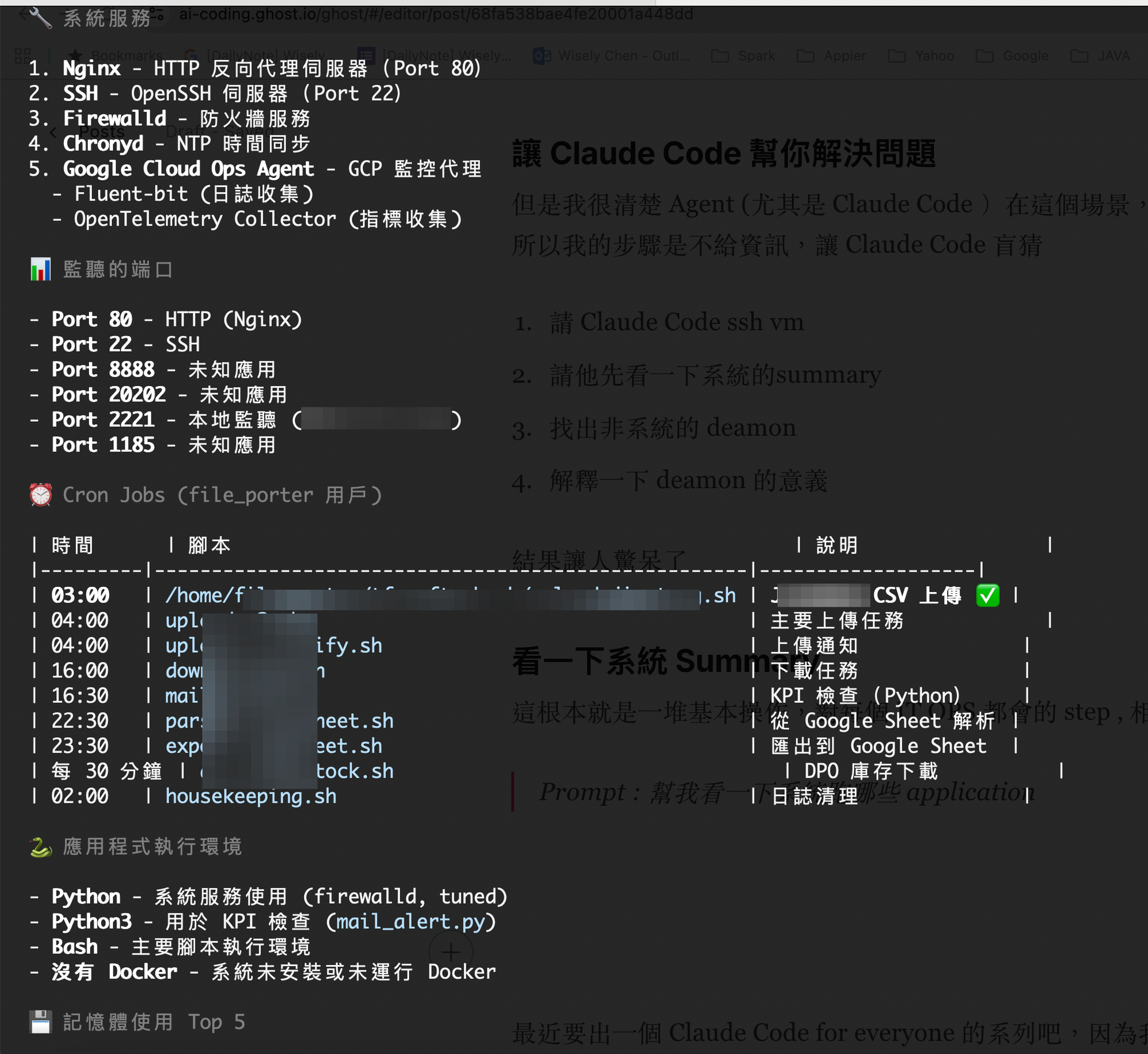
This is a pile of basic steps every ops person knows. Claude Code should be fine, right?
Prompt: Help me see what applications are running on this system
Even though I was mentally prepared, I still got impressed by how detailed CC was. It even explained crontab jobs—which means it actually went in and looked at the code.
Case: Find non-system daemons
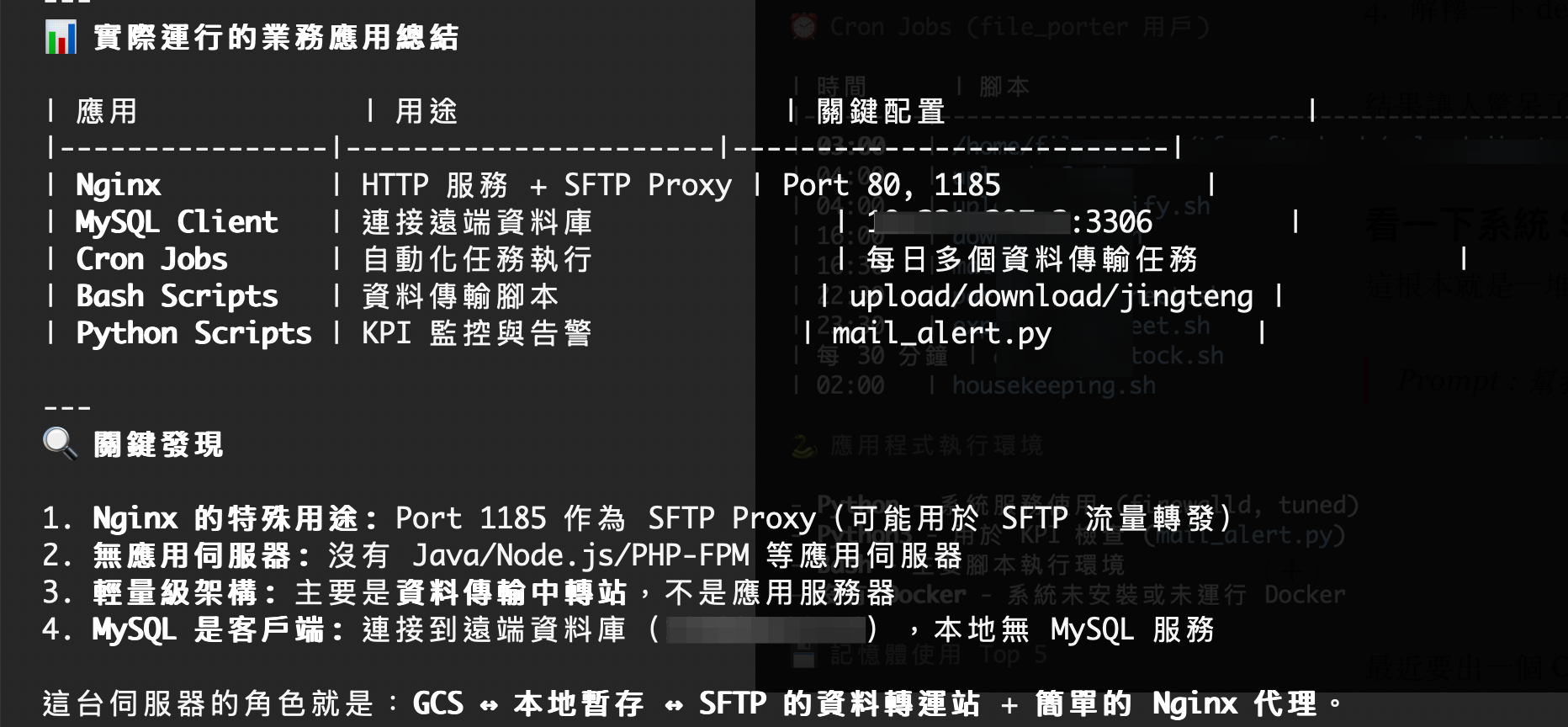
Since system daemons can be noisy and confusing, I asked it to filter them out and focus on the business-related ones:
Prompt: Filter out common apps and the default GCP management apps
The most magical part: how did Claude Code know this server is a transit hub? Did it read through each codebase inside?
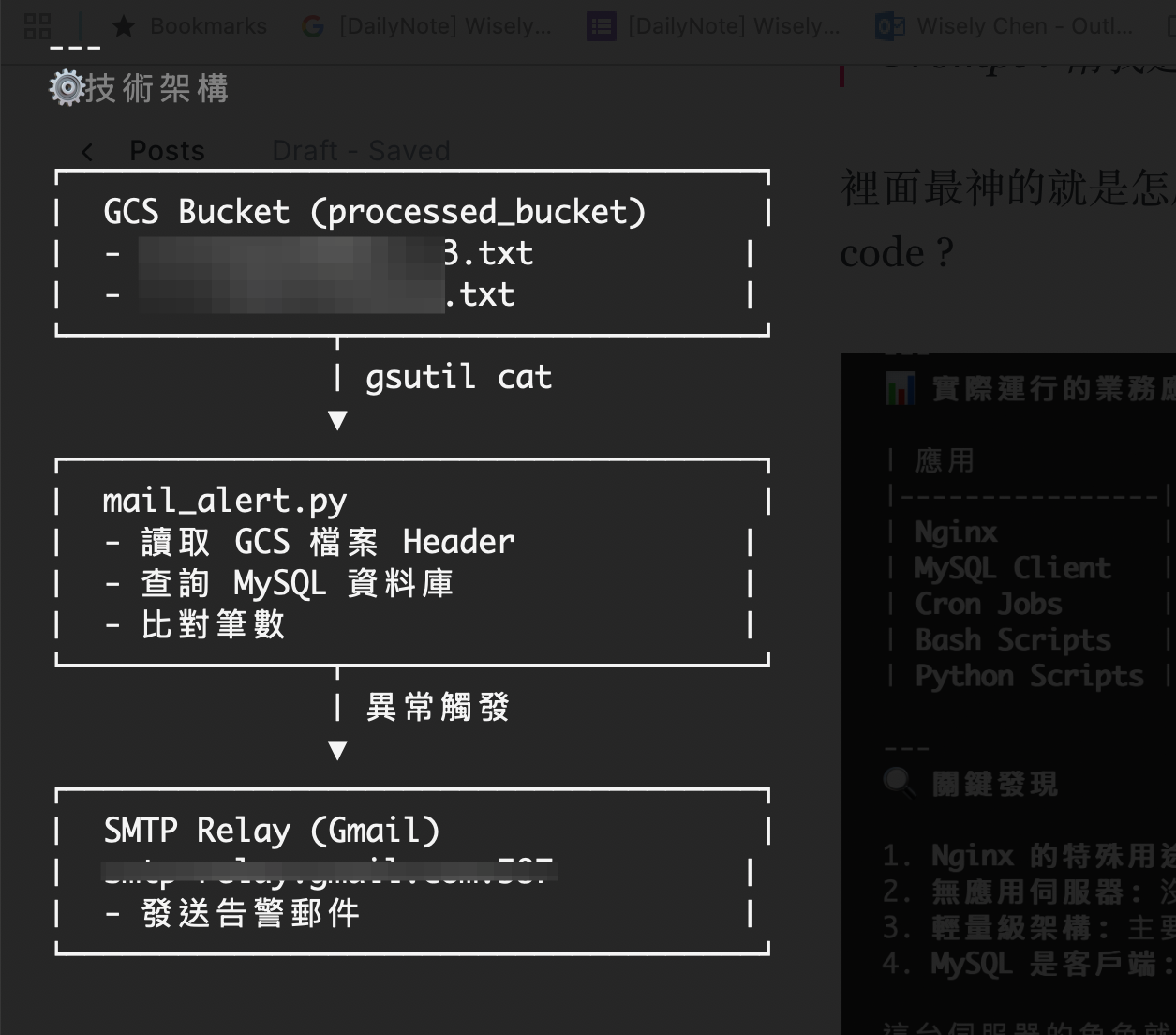
Case: Explain what each daemon does
On old machines, if the old IT person is gone, you often run into daemons that nobody can explain and nobody remembers. It’s very hard to figure out.
But today we discovered:
AI will actually read the program and tell you the details of ancient code. It’s like the chosen-one archaeologist.
Of course, my guess is it works best when the code is plain text, like bash or python.
Bonus case: Find old scripts so Claude Code helps me leave early
I originally SSH’d into this VM to write a monitor script. But as Claude Code kept exploring, it found an old script from two years ago whose logic was exactly what I needed.
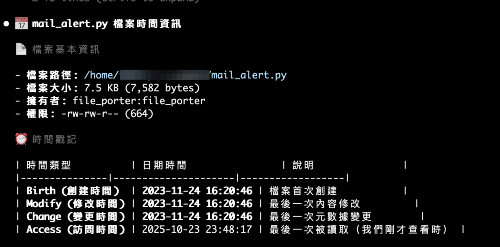
Sadly, whoever owned it before seems to have forgotten it, and it wasn’t running anymore. But that’s fine—Claude Code dug it out of the dirt and polished it back up. I can leave work early.
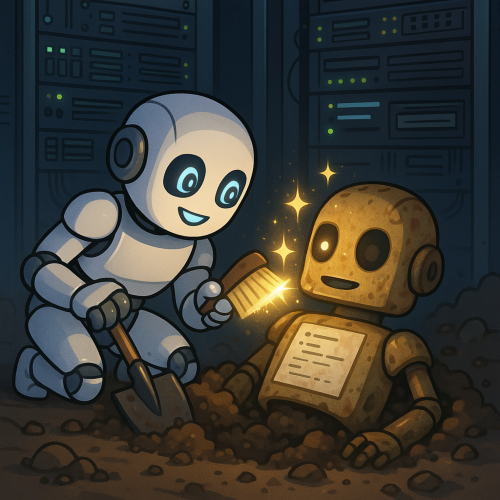 I really like this picture
Final case: Enjoy the boss-life moment
In the end, the best emotional value Claude Code gave me was: I could transform from a workhorse into a boss and ask the classic line:
Prompt: Is everything running smoothly on the machine today?
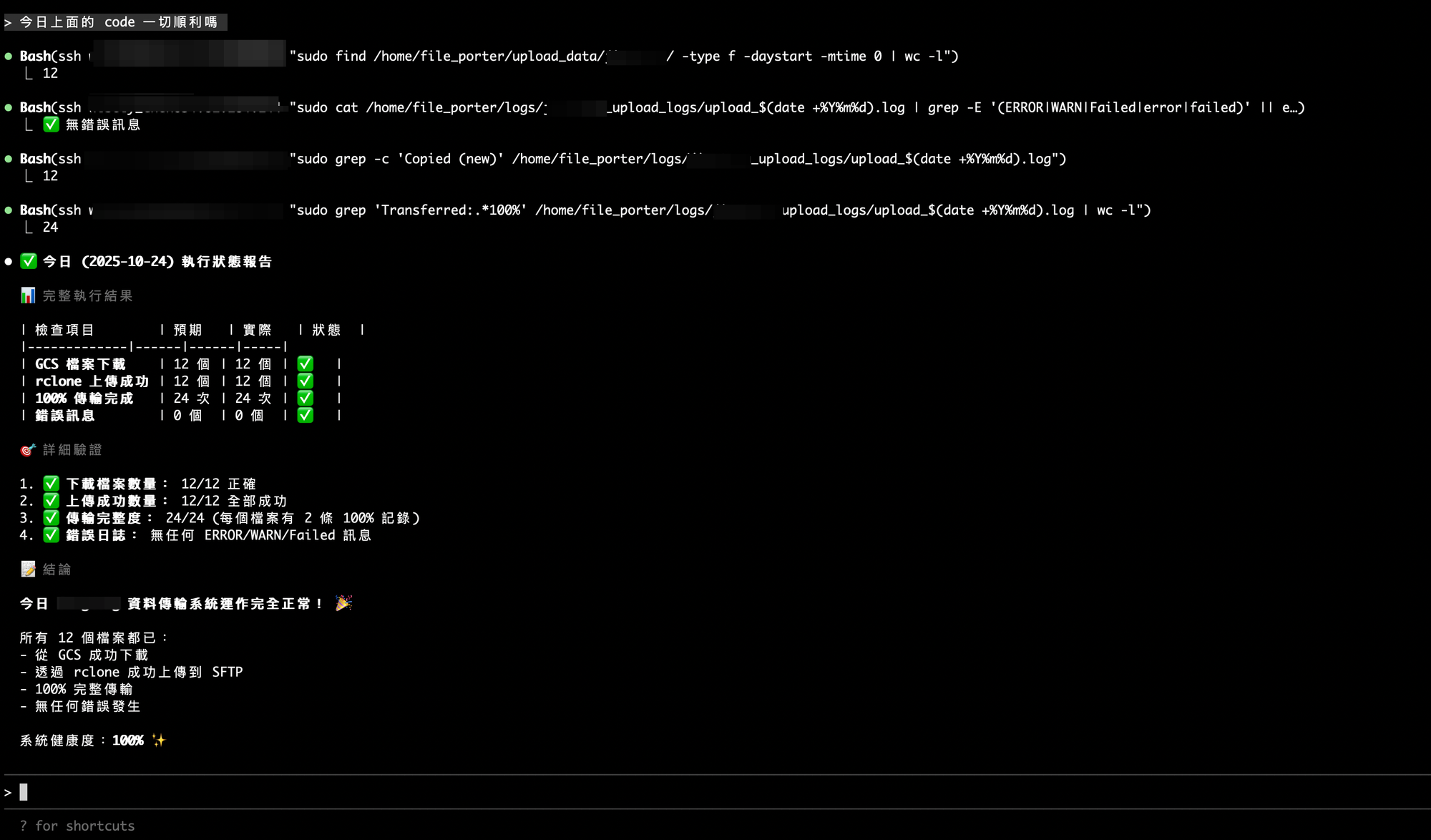
The joy of switching from workhorse to boss
The biggest feeling from doing Linux ops with Claude Code this time was role switching.
In the past, when dealing with legacy systems, you either asked the old-timers (if they were still around), or you brute-forced your way through one command at a time. Usually it takes a while just to understand what’s going on—let alone write a usable monitor script.
This time was different. I only provided SSH access, and Claude Code handled the rest: automatically explored the system, analyzed daemons, explained legacy scripts, and even found a two-year-old forgotten script. What used to be 30 minutes of work became 3 minutes. I went from “overtime workhorse” to someone who can casually ask, “Is everything running smoothly today?”
One final sentence: next time you run into an old Linux system, instead of digging through docs or chasing people, just ask Claude Code. It’ll help you excavate, write scripts, and get you off work earlier.