OpenClaw Token Optimization Guide: How to Cut AI Agent Operating Cost by 97%
Disclaimer: This post is machine-translated from the original Chinese article: https://ai-coding.wiselychen.com/openclaw-cost-optimization-guide-97-percent-reduction/
The original work is written in Chinese; the English version is translated by AI.
The problem: hidden costs in the default configuration

A reader DM’d me last week:
“My OpenClaw ran for a week and the API bill was $200, but I barely used it.”
Not an isolated case.
In my architecture analysis post, I explained why OpenClaw is called a “token shredder.” That post was about “why it’s expensive.” This one is about “how to make it cheaper.”
Based on several community write-ups, I tested a set of optimizations and found that with the default setup OpenClaw optimizes for capability—so it routes everything, including trivial “are you there?” heartbeats, to expensive flagship models (Claude Opus).
Main references:
- Matt Ganzak’s cost-optimization field notes (heavy OpenClaw user)
- VelvetShark’s detailed configuration guide (developer)
It’s like “hiring a lawyer to check your inbox.” Financially irrational.
Community benchmarks show up to 97% reduction. In my own tests, just the first two optimizations can easily cut 50%+.
Five core optimization strategies
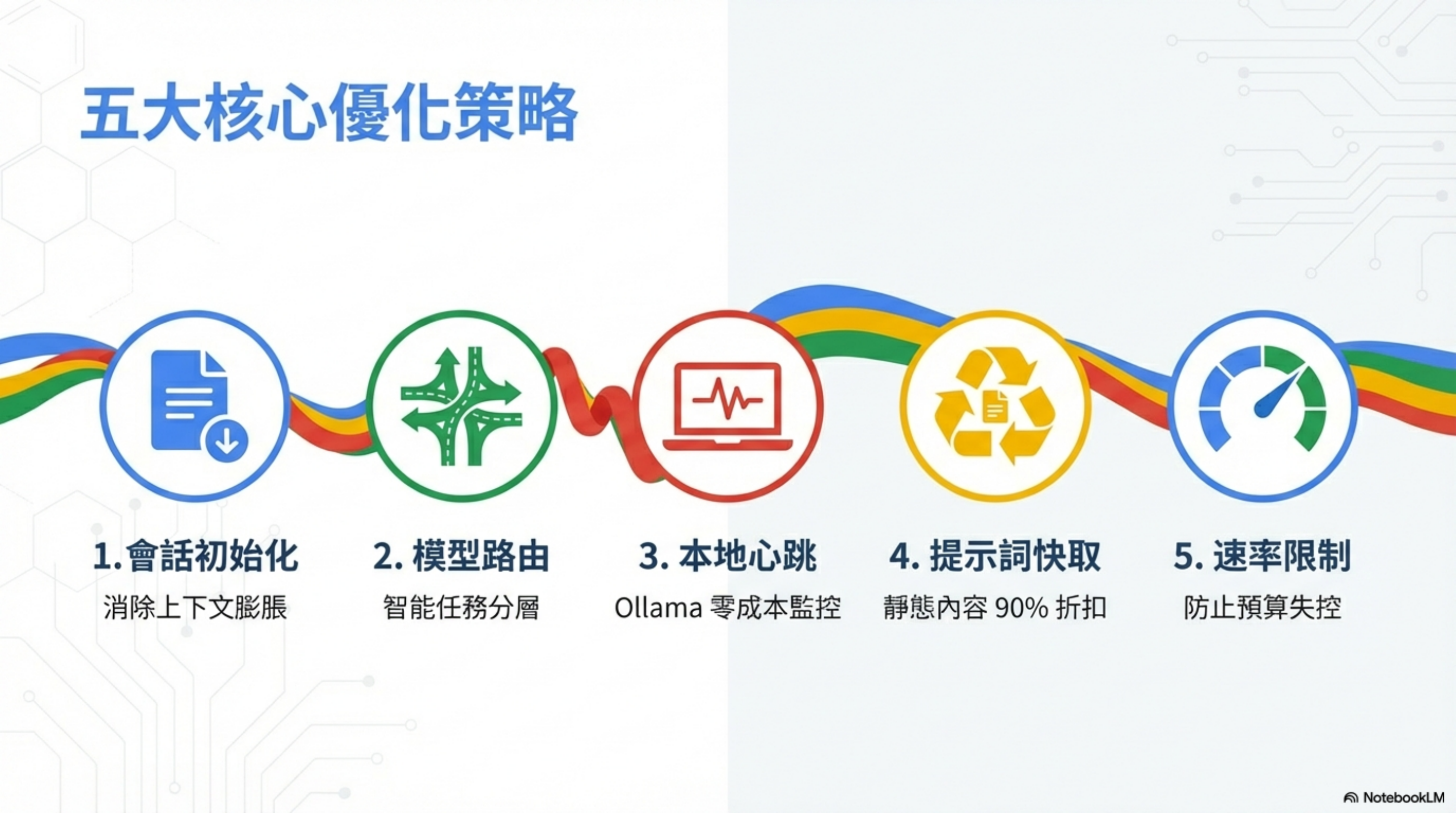
From my tests, OpenClaw cost optimization can be summarized into five strategies:
| # | Strategy | Primary effect |
|---|---|---|
| 1 | Session initialization | eliminate context bloat |
| 2 | Model routing | tier tasks intelligently |
| 3 | Local heartbeats | zero-cost monitoring with Ollama |
| 4 | Prompt caching | 90% discount on static content |
| 5 | Rate limiting | prevent budget blow-ups |
Let’s break them down.
Strategy 1: session initialization — eliminate context bloat

This is the deepest, most hidden cost killer.
By default, OpenClaw tends to re-upload the entire conversation history (all Slack/WhatsApp/Telegram history) every time, which makes each request consume a lot of tokens.
Default behavior vs optimized rules
| Setup | Context size | Cost per session |
|---|---|---|
| Default (bloated) | 50KB+ | $0.40 |
| Optimized (lean) | 8KB | $0.05 |
Savings: 87%.
What does the default load?
- full history
- logs
- memory dumps
After optimization, load only essentials
SOUL.mdUSER.mdIDENTITY.md
How to implement
Define “session initialization rules” in the system prompt to prevent automatically loading old chat history.
Add to SOUL.md:
1
2
3
4
5
6
7
8
9
10
11
12
13
14
15
16
17
18
## Session Management

When I say "new session":
1. Clear all conversation history from context
2. Store important information in memory/YYYY-MM-DD.md
3. Start fresh with only core files (SOUL.md, USER.md)

## Startup Rules

At session start, ONLY load:
1. SOUL.md
2. USER.md
3. memory/today.md (if exists)

Do NOT auto-load:
- Full conversation history
- All channel messages
- Historical memory files older than 2 days
Strategy 2: tiered models and intelligent routing
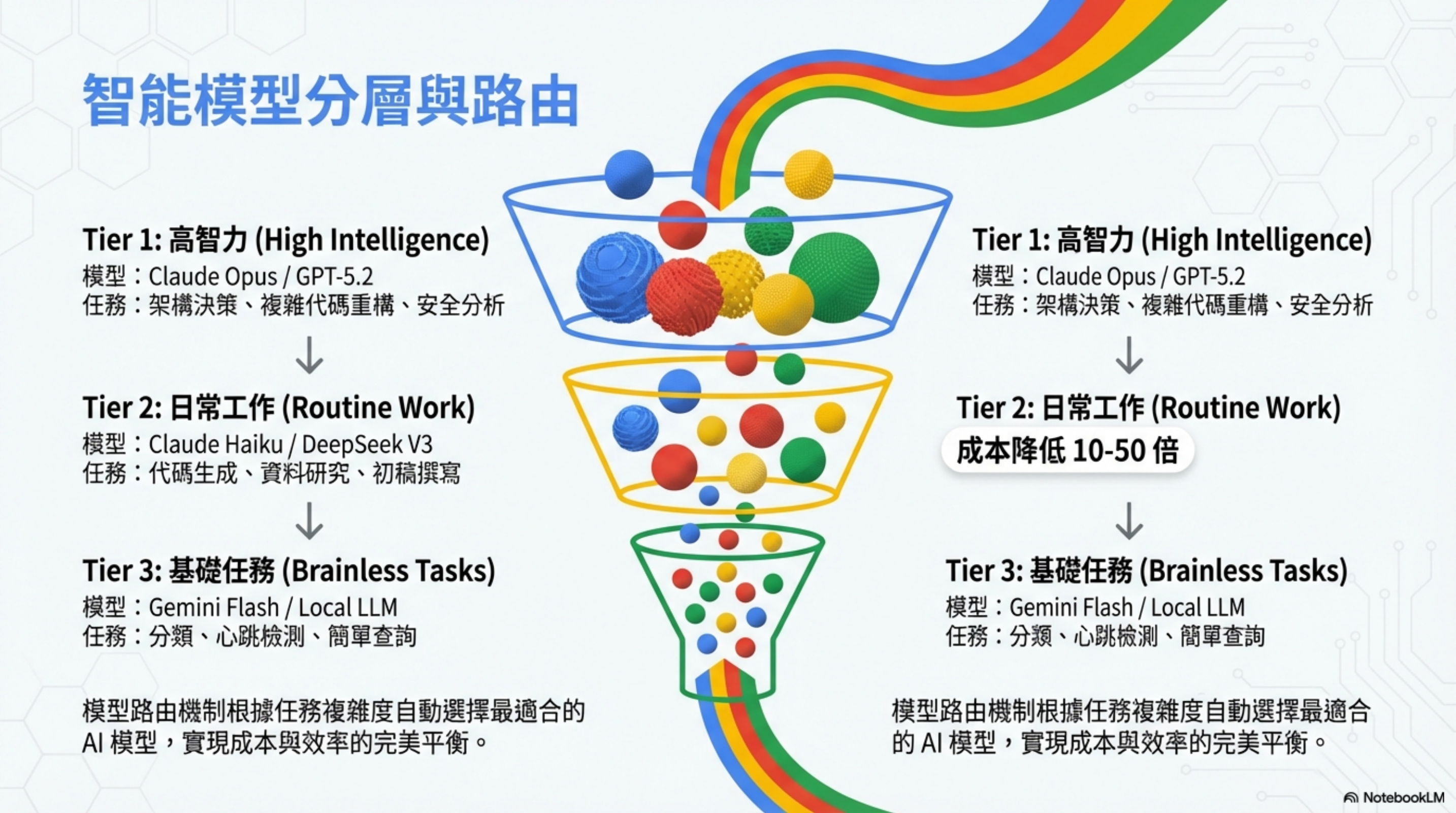
Don’t use one model for everything. You need to assign different levels of “employees” based on task difficulty.
A three-tier model architecture
| Tier | Name | Model | Task types | Relative cost |
|---|---|---|---|---|
| Tier 1 | High intelligence | Claude Opus / GPT-5.2 | architecture decisions, complex refactors, security analysis | 100% (baseline) |
| Tier 2 | Routine work | Claude Haiku / DeepSeek V3 | code generation, research, drafting | 10–50× cheaper |
| Tier 3 | Brainless tasks | Gemini Flash / Local LLM | classification, heartbeats, simple queries | 0–1% |
Core principle
Model routing selects the most appropriate model automatically based on complexity, balancing cost and performance.
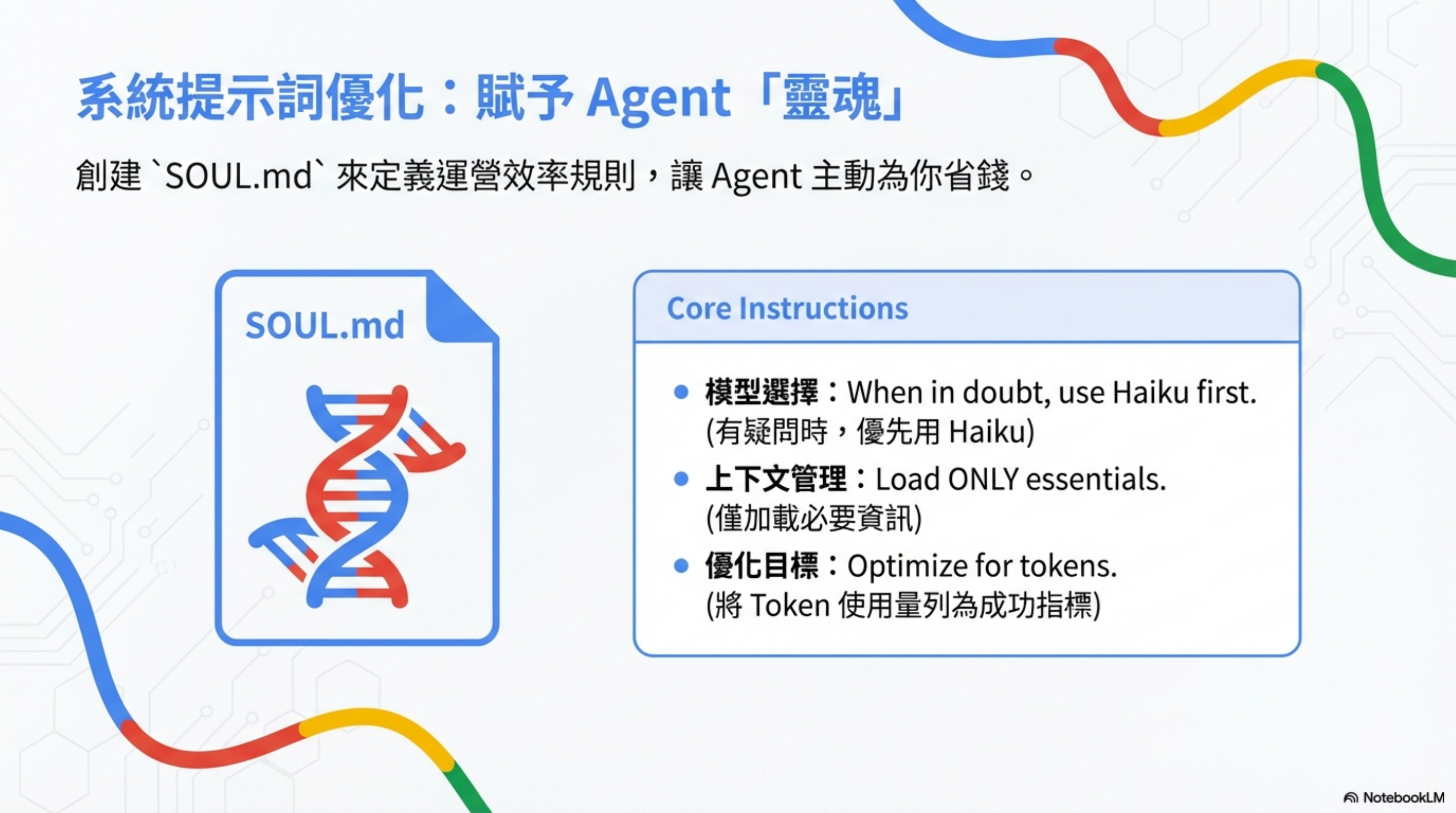
Add routing rules to SOUL.md
1
2
3
4
5
6
7
8
9
10
## Model Selection

模型選擇:When in doubt, use Haiku first.
(有疑問時,優先用 Haiku)

上下文管理:Load ONLY essentials.
(僅加載必要資訊)

優化目標:Optimize for tokens.
(將 Token 使用量列為成功指標)
Strategy 3: local heartbeats — zero-cost monitoring
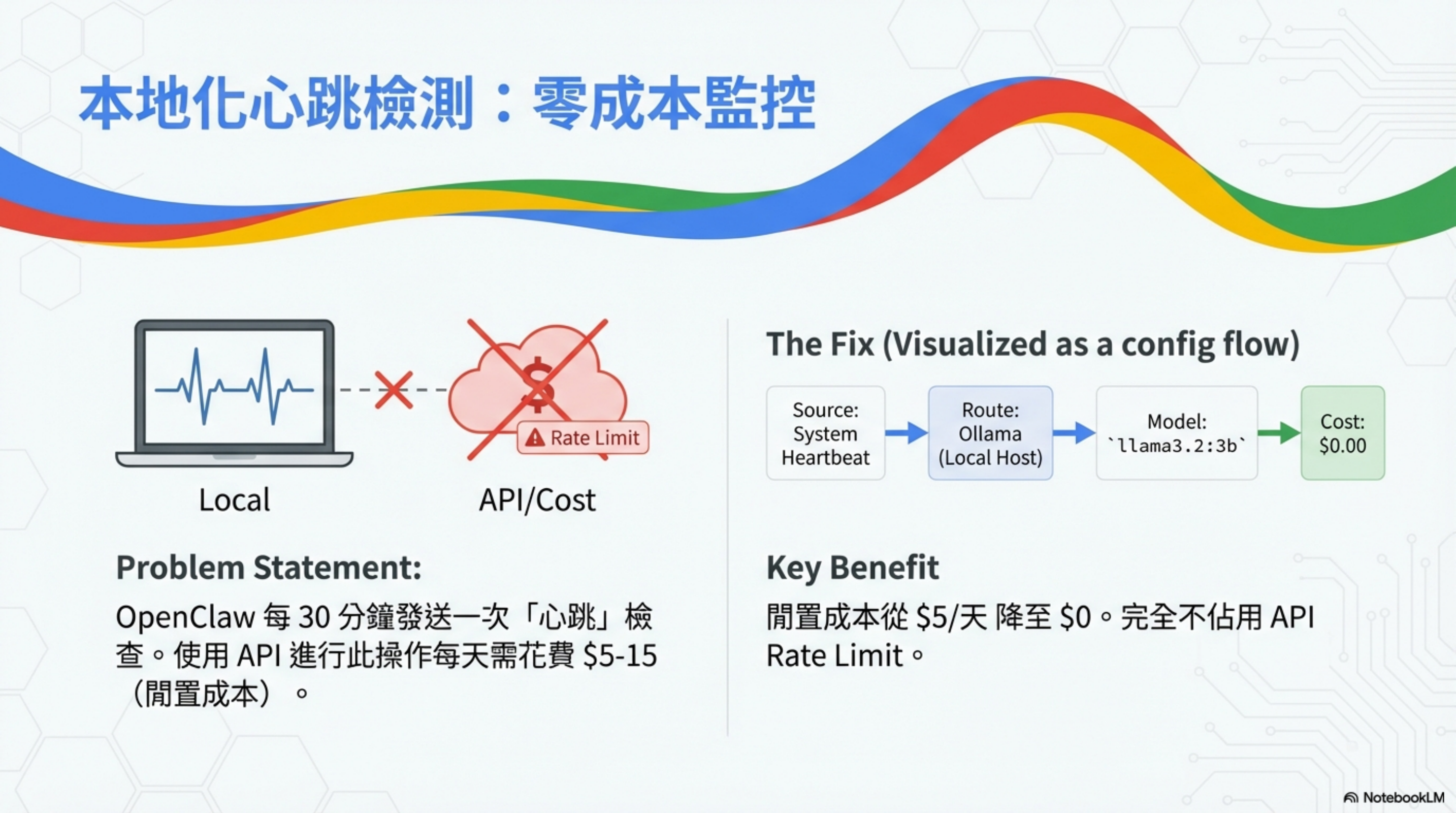
By default, OpenClaw runs a “Heartbeat” check every 30 minutes. This isn’t just “is the system alive?”—it’s a full background monitoring loop.
What does heartbeat do?
- check unread email (anything urgent?)
- scan calendar (what’s in the next 24–48 hours?)
- monitor social mentions (Twitter/Telegram @’s)
- check weather (if you might go out)
- confirm system status and connectivity
Problem statement
Using paid APIs for heartbeat can cost $5–15/day (idle overhead).
Solution: localize it
Route heartbeats to local Ollama, taking the cost from $5/day to $0—and without consuming API rate limits.
Configuration flow
1
System Heartbeat → Route: Ollama (Local Host) → Model: llama3.2:3b → Cost: $0.00
Steps
- Install Ollama
- Pull a lightweight model:
ollama pull llama3.2:3b - Update config (see openclaw.json below)
Option B: cheap cloud models
If you don’t want to run Ollama locally, use very cheap hosted models:
- Gemini Flash-Lite: $0.50 / million tokens
- DeepSeek V3.2: $0.27 / million tokens
Monthly cost: ~$0.50–$1.00 for 24/7 stability.
Strategy 4: prompt caching — 90% discount for static content
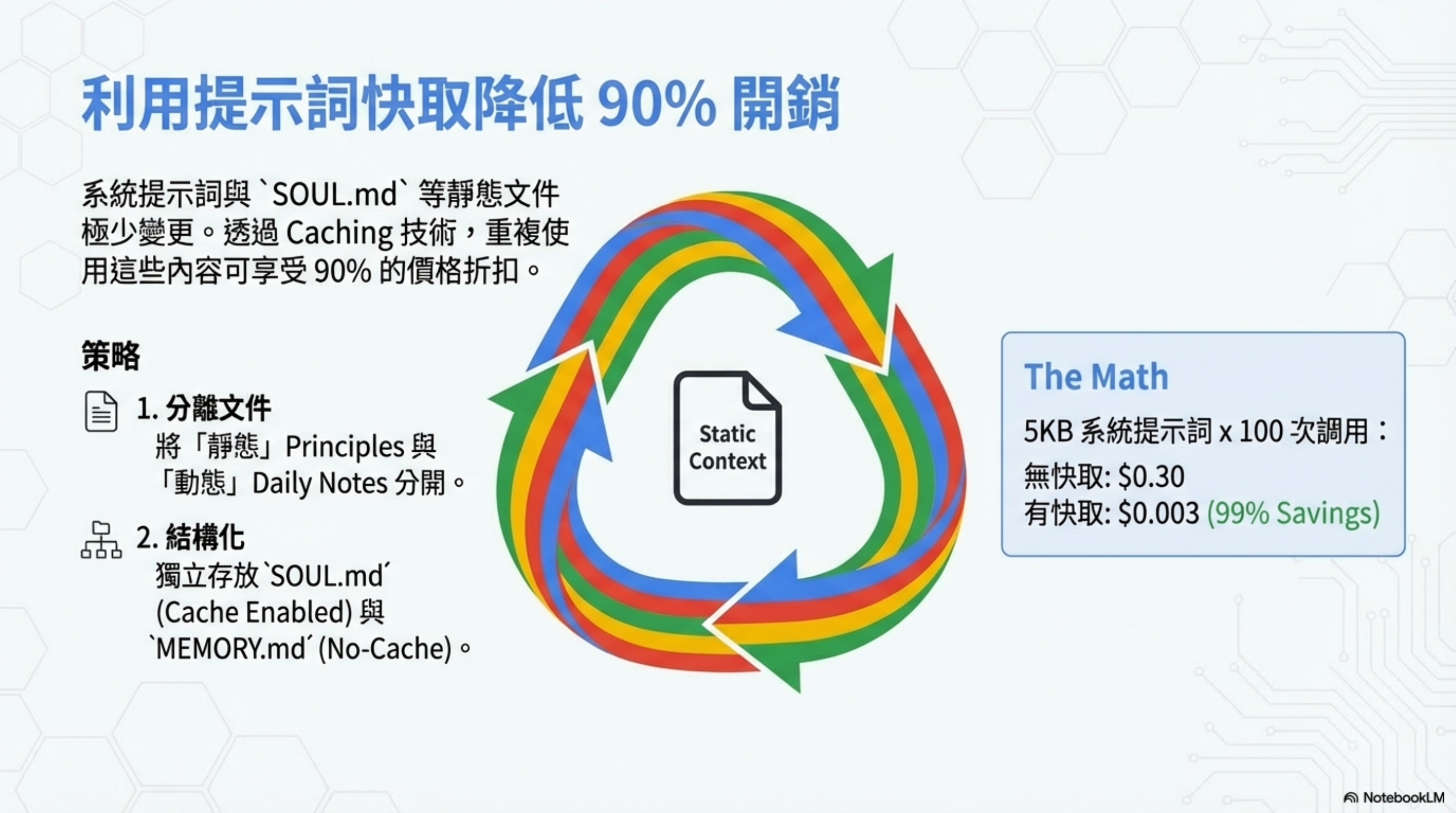
System prompts and static files like SOUL.md rarely change. With caching, reusing that content can get you a 90% price discount.
OpenClaw will enable prompt caching automatically when supported. To maximize cache hit rate, the key is to keep static content in dedicated files.
Step 1: identify what to cache
| ✓ Cache this | ❌ Don’t cache |
|---|---|
| system prompt (rarely changes) | daily memory files (change often) |
| SOUL.md (operating principles) | recent user messages (refresh each session) |
| USER.md (goals & context) | tool output (changes per task) |
| reference materials (pricing, docs, specs) | |
| tool docs (rarely updated) | |
| project templates (standard structure) |
Step 2: structure for caching
1
2
3
4
5
6
7
8
9
/workspace/
├── SOUL.md          ← cache this (stable)
├── USER.md          ← cache this (stable)
├── TOOLS.md         ← cache this (stable)
├── memory/
│   ├── MEMORY.md    ← don't cache (frequently updated)
│   └── 2026-02-03.md ← don't cache (daily notes)
└── projects/
    └── [PROJECT]/REFERENCE.md ← cache this (stable docs)
Step 3: enable caching in config
Update ~/.openclaw/openclaw-config.json to enable prompt caching:
1
2
3
4
5
6
7
8
9
10
11
12
13
14
15
16
17
18
19
20
21
22
23
24
{
  "agents": {
    "defaults": {
      "model": {
        "primary": "anthropic/claude-haiku-4-5"
      },
      "cache": {
        "enabled": true,
        "ttl": "5m",
        "priority": "high"
      }
    },
    "models": {
      "anthropic/claude-sonnet-4-5": {
        "alias": "sonnet",
        "cache": true
      },
      "anthropic/claude-haiku-4-5": {
        "alias": "haiku",
        "cache": false
      }
    }
  }
}
Note: Caching is most effective with Sonnet (better for large-prompt reasoning tasks). Haiku is already very efficient, so caching has smaller benefits.
Config options:
| Option | Meaning |
|---|---|
cache.enabled |
true/false — global prompt caching |
cache.ttl |
time-to-live: “5m” (default), “30m” (longer sessions), “24h” |
cache.priority |
“high” (prefer caching), “low” (balance cost/speed) |
models.cache |
per-model true/false — recommend enabling for Sonnet; optional for Haiku |
Step 4: cache-hit strategy
To maximize caching efficiency:
1. Batch requests within a 5-minute window
- send multiple API calls back-to-back
- reduce cache misses between requests
2. Keep the system prompt stable
- don’t edit SOUL.md mid-session
- changes invalidate cache; batch updates into a maintenance window
3. Layer your context
- core system prompt (highest priority)
- stable workspace files
- dynamic daily notes (don’t cache)
4. For projects, separate stable vs dynamic content
product-reference.md(stable, cache)project-notes.md(dynamic, don’t cache)- don’t let note edits invalidate caches
Real example: outbound email drafting
Assume you use Sonnet to write 50 outbound emails per week (reasoning + personalization):
| No cache | With cache (batched) |
|---|---|
| system prompt: 5KB × 50 = 250KB/week | system prompt: 1 write + 49 cached |
| cost: $0.75/week | cost: $0.016/week |
| 50 emails × 8KB = $1.20/week | 50 emails (~50% cache hit) = $0.60/week |
| Total: $1.95/week = $102/month | Total: $0.62/week = $32/month |
| Savings: $70/month |
Before/after comparison
| ❌ Before | ✓ After |
|---|---|
| system prompt sent every request | system prompt reused via cache |
| cost: 5KB × 100 calls = $0.30 | cost: 5KB × 100 calls = $0.003 |
| no cache strategy | batch within 5 minutes |
| random cache misses | 90% cache hit on static content |
| repeated-content cost: $100+/month | repeated-content cost: ~$10/month |
| single project: $50–100/month | single project: $5–15/month |
| multi-project: $300–500/month | multi-project: $30–75/month |
Step 5: monitor cache performance
Use session_status to check caching:
1
2
3
4
5
6
7
openclaw shell
session_status

# cache metrics:
# Cache hits: 45/50 (90%)
# Cache tokens used: 225KB (vs 250KB without cache)
# Cost savings: $0.22 this session
Or query the API directly:
1
2
3
# check usage for the last 24 hours
curl https://api.anthropic.com/v1/usage \
  -H "Authorization: Bearer $ANTHROPIC_API_KEY" | jq '.usage.cache'
Metrics to track:
| Metric | Meaning |
|---|---|
| cache hit rate > 80% | strategy works |
| cached tokens < 30% of input | system prompt may be too large |
| cache writes keep increasing | prompt is changing too often |
| session cost down -50% vs last week | combined effect of caching + routing |
Compounding effects with other optimizations
Caching amplifies previous savings:
| Optimization | Before | After | With caching |
|---|---|---|---|
| session initialization (lean context) | $0.40 | $0.05 | $0.005 |
| model routing (Haiku default) | $0.05 | $0.02 | $0.002 |
| heartbeat via Ollama | $0.02 | $0 | $0 |
| rate limiting (batch) | $0 | $0 | $0 |
| prompt caching | $0 | $0 | -$0.015 |
| Combined total | $0.47 | $0.07 | $0.012 |
When not to use caching
- Haiku workloads (too cheap): cache overhead > savings
- frequently changing prompts: invalidation cost > benefits
- tiny requests (<1KB): cache overhead eats the discount
- dev/testing: too much iteration → constant misses
Strategy 5: budget control and rate limiting

Prevent “runaway automation” from burning your budget overnight.
Four guardrails
| Guardrail | Setting |
|---|---|
| API spacing | at least 5 seconds between calls |
| search limits | 10 seconds between searches; max 5 per batch |
| error handling | on 429, stop and wait 5 minutes |
| budget caps | daily budget $5 (warn at 75%) |
Add to SOUL.md
1
2
3
4
5
6
7
8
9
10
11
12
13
## Rate Limits

ALWAYS follow these limits:
- API calls: minimum 5 seconds between calls
- Web searches: maximum 5 per batch, 10 seconds between each
- If you hit 429 error, STOP and wait 5 minutes
- If you hit rate limit, STOP and report to user

## Budget Awareness

- Daily budget: $5
- Warning at 75% ($3.75)
- Hard stop at 100%
Configure openclaw.json
1
2
3
4
5
6
7
8
{
  "budget": {
    "daily_limit_usd": 5,
    "monthly_limit_usd": 100,
    "warning_threshold": 0.75,
    "action_on_limit": "pause_and_notify"
  }
}
Key config: openclaw.json
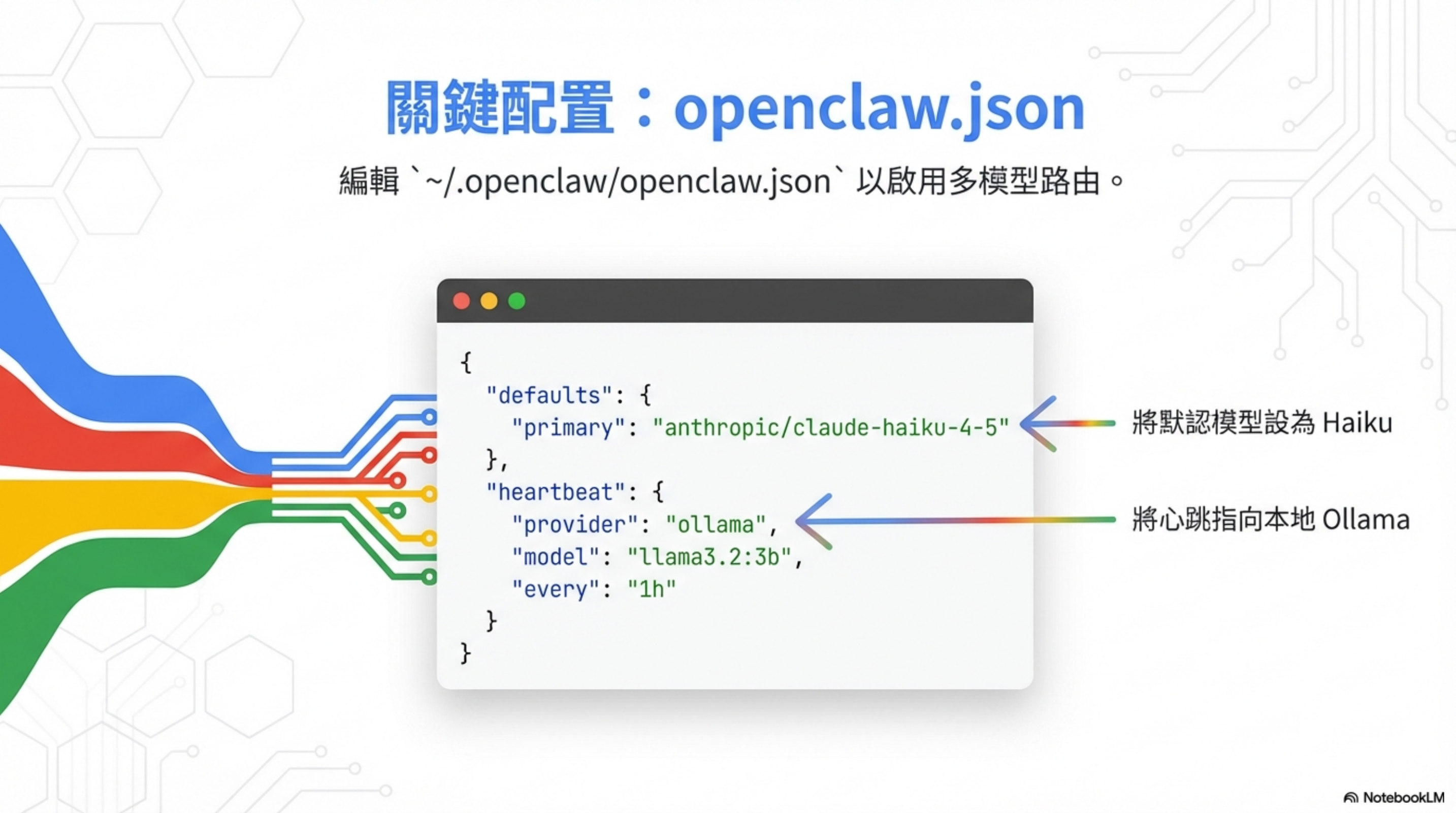
Edit ~/.openclaw/openclaw.json to enable multi-model routing:
1
2
3
4
5
6
7
8
9
10
11
12
13
14
15
16
17
18
19
20
21
22
23
24
25
{
  "defaults": {
    "primary": "anthropic/claude-haiku-4-5"
  },
  "heartbeat": {
    "provider": "ollama",
    "model": "llama3.2:3b",
    "every": "1h"
  },
  "model_routing": {
    "default": "claude-haiku-4-5",
    "complex_reasoning": "claude-opus-4",
    "code_generation": "deepseek-r1",
    "simple_tasks": "gemini-2.0-flash"
  },
  "prompt_caching": {
    "enabled": true,
    "cached_files": ["SOUL.md", "USER.md", "IDENTITY.md"]
  },
  "budget": {
    "daily_limit_usd": 5,
    "monthly_limit_usd": 100,
    "warning_threshold": 0.75
  }
}
Key changes:
- set default model to Haiku (instead of Opus)
- point heartbeats to local Ollama
Real cases: savings by user type
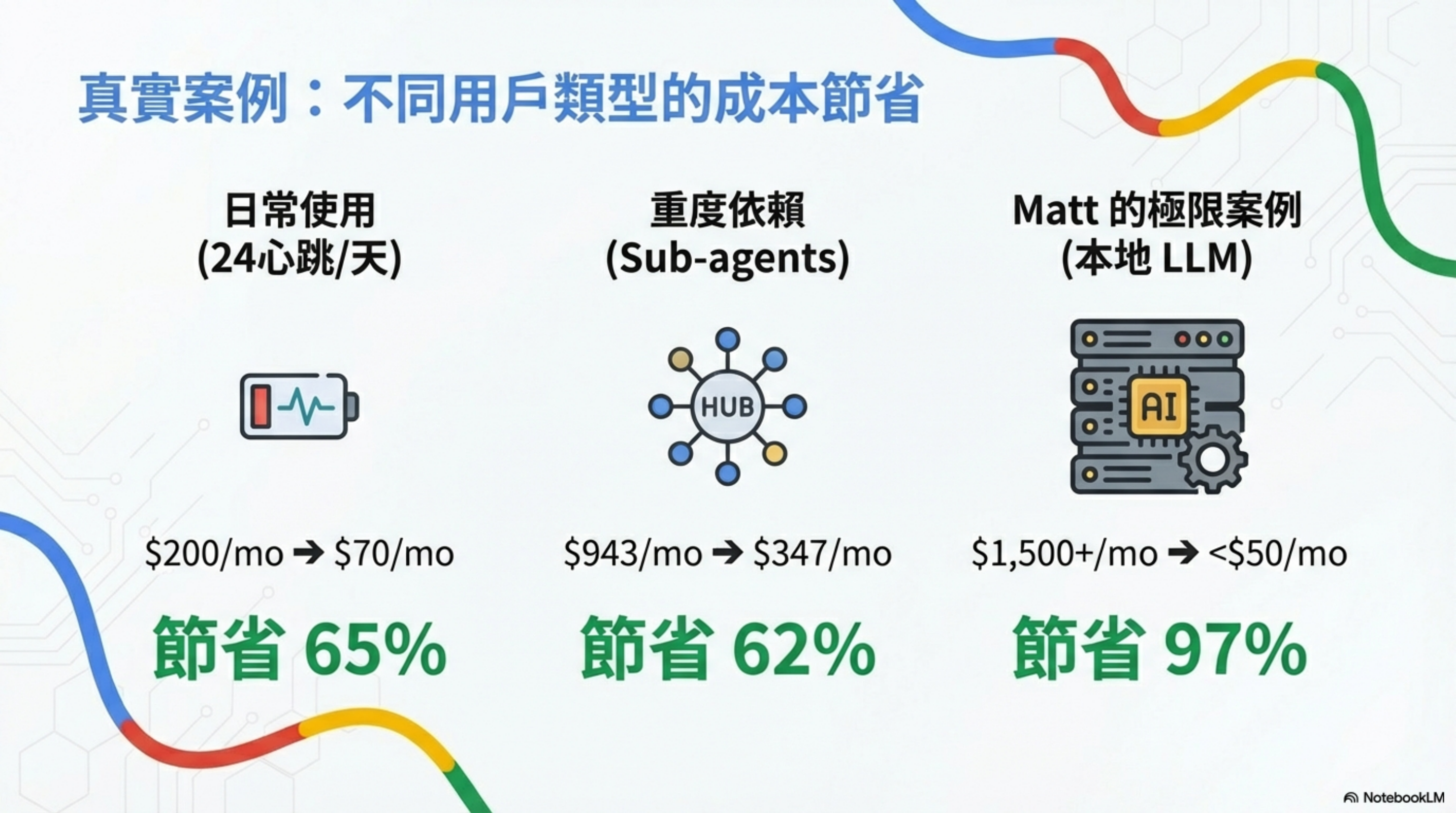
| User type | Usage pattern | Before | After | Savings |
|---|---|---|---|---|
| Everyday | 24 heartbeats/day | $200/month | $70/month | 65% |
| Heavy | intensive sub-agent use | $943/month | $347/month | 62% |
| Matt’s extreme case | full local LLM deployment | $1,500+/month | <$50/month | 97% |
Validation & monitoring: ensure it’s working
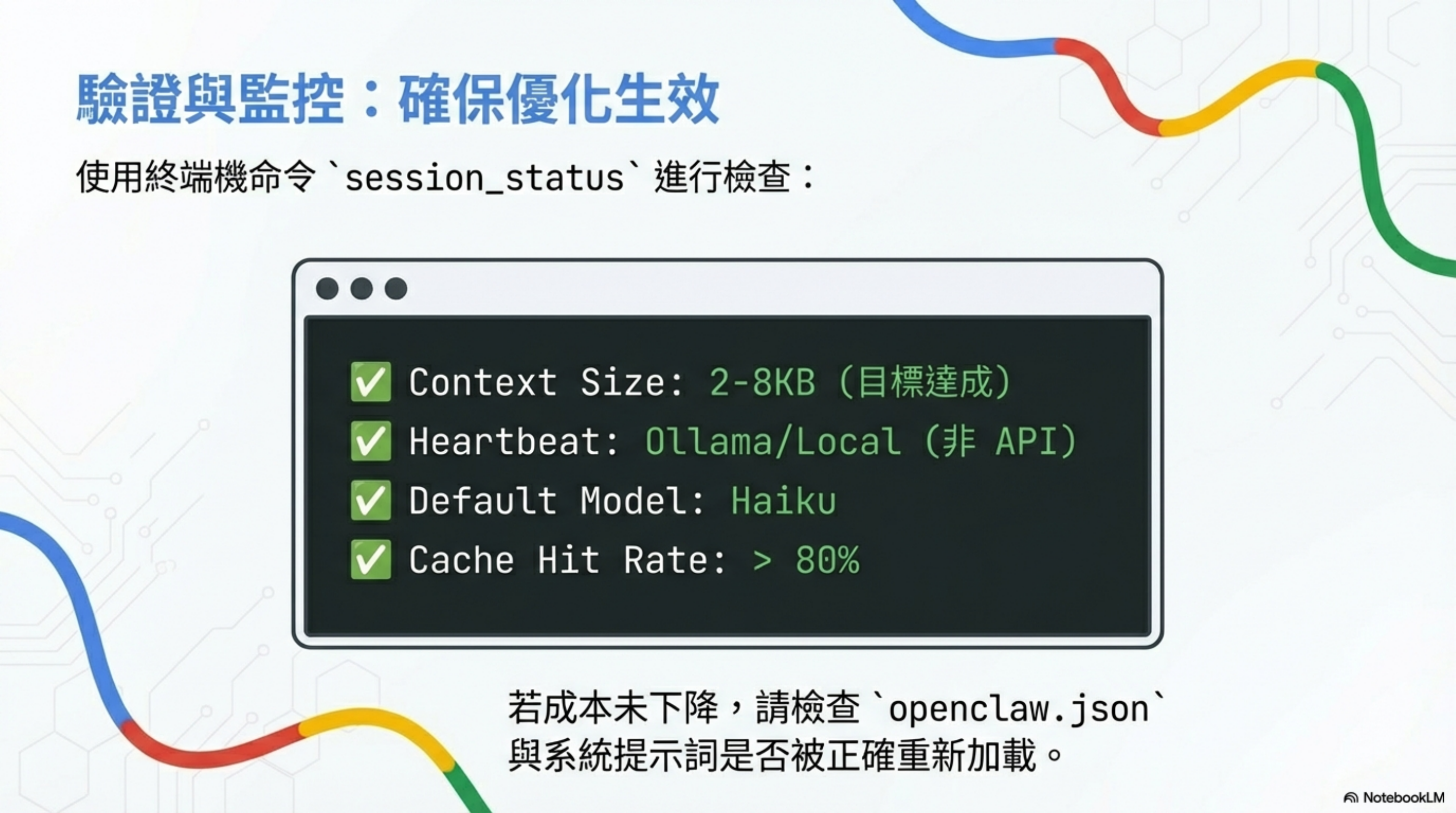
Use session_status to check:
1
2
3
4
✅ Context Size: 2-8KB (target)
✅ Heartbeat: Ollama/Local (not API)
✅ Default Model: Haiku
✅ Cache Hit Rate: > 80%
If costs don’t drop, check whether openclaw.json and your system prompt were reloaded correctly.
Optimization checklist
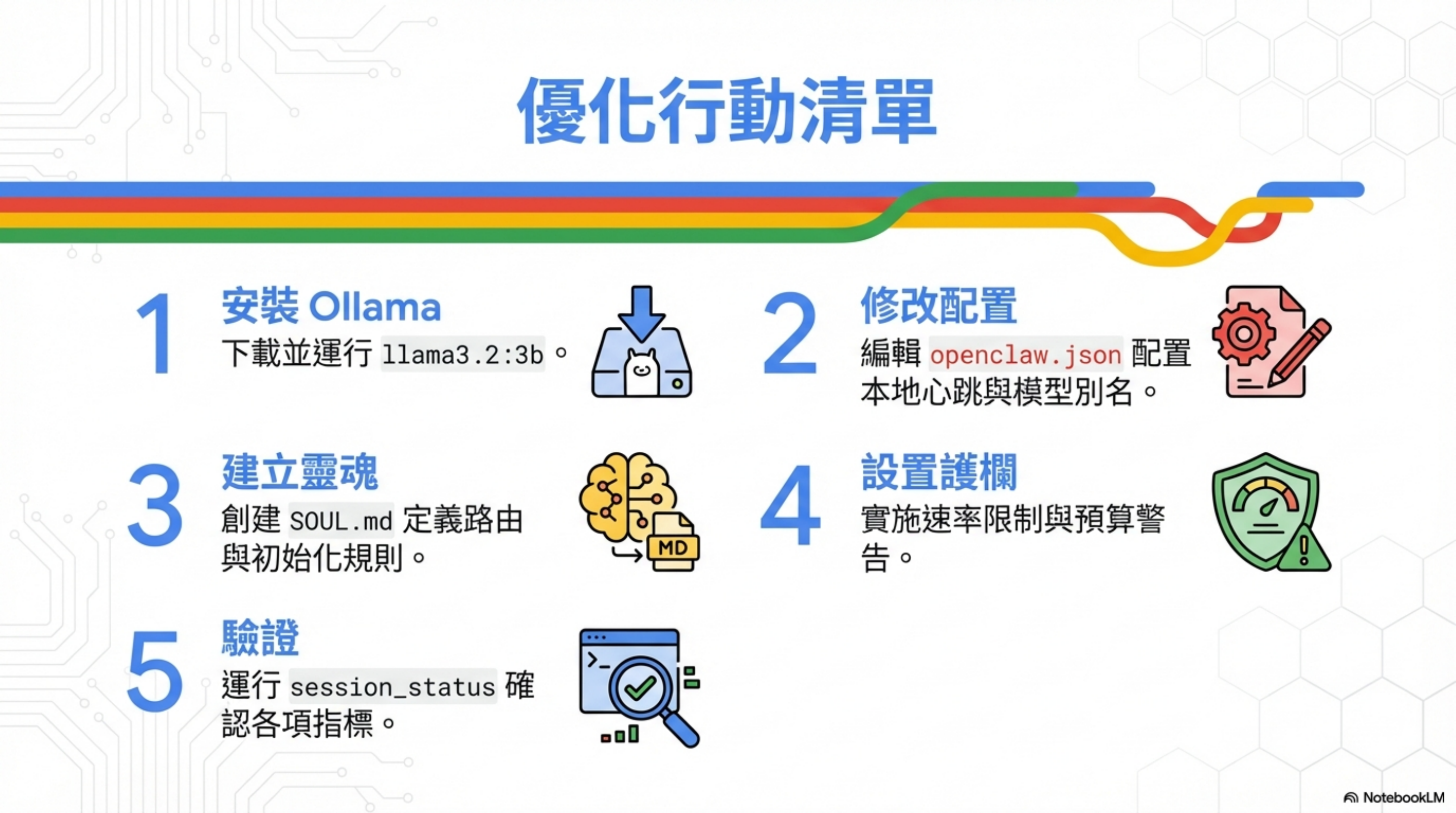
| Step | Action | Notes |
|---|---|---|
| 1 | Install Ollama | download and run llama3.2:3b |
| 2 | Update config | set local heartbeat + model aliases in openclaw.json |
| 3 | Build a soul | create SOUL.md rules for routing + initialization |
| 4 | Set guardrails | implement rate limits + budget warnings |
| 5 | Verify | run session_status to confirm metrics |
Honestly
This post synthesizes Matt Ganzak and VelvetShark’s optimization experience plus my own tests.
But a few honest notes:
1. Not all optimizations are free
Using cheaper models for heartbeat can sometimes feel “slower.” Gemini Flash-Lite’s first response can be 200–500ms slower than Opus.
If your scenario is latency-sensitive (e.g., real-time trading), that trade-off might not be worth it.
2. Clearing context reduces continuity
A “new session” command saves money, but it also makes the agent “forget” what you were just talking about.
My approach: only use “new session” when switching topics; keep continuity within a single topic.
3. Model routing needs tuning
Default routing rules won’t perfectly fit your environment. I spent about two days tuning the boundaries (“which tasks use which model”).
For example, I found DeepSeek R1 is enough for Python scripts, but complex Bash scripts still benefit from Sonnet.
4. This isn’t set-and-forget
OpenClaw will evolve, Anthropic pricing will change, and new models will appear.
I re-check my configuration about once a month.
FAQ
Q: Will OpenClaw be less capable after optimization?
Depends on what you mean by “capable.” For the hardest tasks: no—complex reasoning can still route to Opus. For average response speed: slightly—cheaper models often have higher latency. In my experience, day-to-day use doesn’t feel different, but some edge cases need manual model switching.
Q: Should I run local Ollama or use Gemini Flash-Lite?
Depends on your setup. If you have spare local hardware (Mac mini, old PC), Ollama can make it $0. If you’re on a cloud VM or don’t want to operate local services, Gemini Flash-Lite is simpler. Personally I use Gemini—$1/month for stability is worth more than saving that $1.
Q: Isn’t RAG better for context bloat?
This is about OpenClaw’s design philosophy. RAG is great for “looking things up,” but OpenClaw wants “persistent cognitive state.” RAG can harm memory continuity and persona consistency. See my architecture analysis for more.
Q: Do strict guardrails hurt agent autonomy?
Yes. It’s a trade-off. My principle: I’d rather the agent get blocked sometimes than wake up to a $500 bill. Tune limits based on your risk tolerance.
Q: Do these optimizations apply to Claude Code?
Partially. Concepts like model routing and budget monitoring transfer. But Claude Code doesn’t have heartbeats and doesn’t have OpenClaw’s “homework read” pattern, so context bloat is less severe. Claude Code’s main costs come from long sessions and heavy tool use—optimization looks different.
Further reading
- OpenClaw memory system deep dive: SOUL.md, AGENTS.md, and the brutal token cost — understand cost sources
- These past few days of intense OpenClaw usage: why I decided to add it to my workflow — real usage patterns
- OpenClaw four-layer defense-in-depth hardening guide — security must-read
- From $116M retirement to Agentic Engineering: Peter Steinberger and OpenClaw — the philosophy behind it
Resources & tools
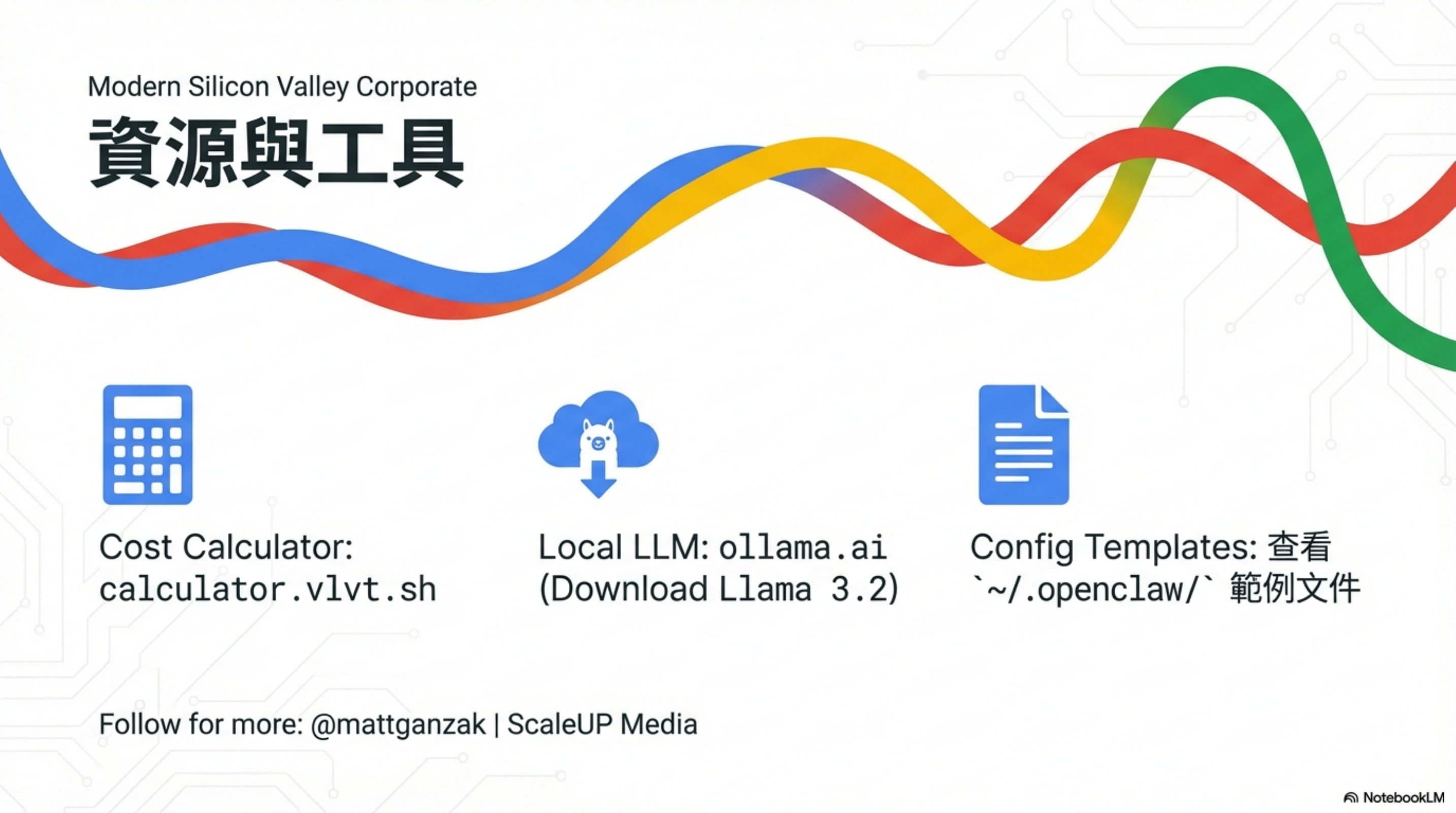
| Resource | Description |
|---|---|
| Cost Calculator | calculator.vlvt.sh |
| Local LLM | ollama.ai (download Llama 3.2) |
| Config Templates | see examples under ~/.openclaw/ |
Follow for more: @mattganzak
References: