When Unix Philosophy Meets AI: The Command Line Renaissance
Disclaimer: This post is machine-translated from the original Chinese article: https://ai-coding.wiselychen.com/unix-philosophy-claude-code-command-line-renaissance/
The original work is written in Chinese; the English version is translated by AI.
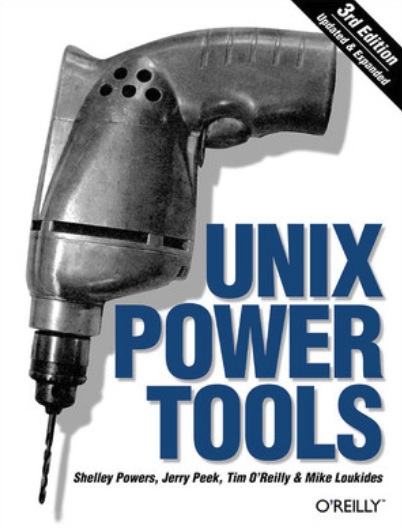
When I was a kid, I read a book called Unix Power Tools. There was a sentence in it that I remembered for almost twenty years:
“Command line pipeline is the best UI interface in the world.”
Back then, I didn’t understand it at all. How could that black screen with white text possibly be the “best UI”?
But I memorized the line anyway—like a poem you recite as a child and only suddenly understand as an adult.
Three crazy days in grad school
To truly learn Linux, I did something that still feels insane when I think back.
I formatted an entire Windows PC in the lab and installed Debian Linux. Not a nicely packaged one-click Fedora or Ubuntu (Ubuntu hadn’t even been born yet), but the most barebones Debian (okay… I also used Gentoo), starting from the command line and installing the Gnome desktop environment step by step.
In short: starting from a black screen and assembling a “Windows-like GUI” yourself. Naturally, it was disaster after disaster.
The most memorable problem was needing the internet to look things up. But without a browser, how do you browse? There was no iPhone back then, so I couldn’t use my phone either. I had to write code: wget Google → Perl to filter HTML → open it in Vim (and of course, Bird Brother’s Linux book was guarding me the whole time).
This madness lasted three days. Late on the third night, the moment Gnome finally installed successfully, I sat in front of the screen and suddenly understood the meaning of that sentence:
“Command line pipeline is the best UI in the world.”
Because you can pass state via pure text across processes, sockets, and services without a bunch of RPCs or APIs. It’s not the “prettiest” UI, but it’s the “most powerful” UI.
Twenty years of command line
After those three days, I’ve always spent more time in the command line than in GUIs. I wrote my master’s thesis using vim + LaTeX. For the first ten years of my coding career, my primary editor was vim. Later I only bought Macs, because they’re FreeBSD-based—open Terminal and it feels like home.
When debugging in a server room, the moment I plug into a server screen in front of MIS folks who are used to GUI tools, my fingers start flying: top, tail -f, grep, awk, one after another. It’s not for showing off—it’s genuinely faster. And more importantly, these tools exist on every Linux server, with no extra installation required.
Of course, I also know times change.
Younger engineers are used to VS Code, Docker Desktop, and all kinds of graphical DevOps tools. I know the command-line guru is being phased out, turning into a nostalgic philosophy—an almost disappearing way of life.
April 2025: Claude Code arrives
And then Claude Code came.
The first time I saw it, I noticed one thing: it’s a command-line interface.
No fancy GUI, no drag-and-drop—just a terminal window. You type, it responds, and it can run shell commands, read/write files, and operate your entire system.
I got comfortable with it in under a minute, because its interaction logic is what I’ve used every day for the last twenty years—everything can be chained with pipelines.
Except this time, in the middle of the pipeline, there’s an “almost omniscient brain.”
When an omniscient brain meets the strongest interface
I finally understood why Claude Code chose the command line.
We all know: for an LLM to really shine, it needs access to enough information. And what the command line fundamentally does is just a few things:
- Read files, change files, chain flows — think in pipelines
- Process state is directly observable — what’s running, where it’s stuck, fork vs zombie
- Socket / port state is directly visible — who’s listening, who’s connecting, where traffic flows
For many people, this is a barrier.
For me, it felt like the command line returned to the center of the world.
Because the command line does one essential thing: it turns the whole computer into a state space that can be queried, reasoned about, and composed—a world model.
An unmatched smoothness
Even more importantly: large language models think in text. The command line communicates state in text.
A brain that understands the world through text plugged into an interface that exposes the world’s state through text.
Claude Code writes code, grabs specs from PRDs, finishes code then starts python APIs, spins up python venvs, checks processes with ps, checks ports with netstat, tests APIs with curl and finds things aren’t working, finds it’s slow, scans logs and sees no errors, checks top and sees CPU is too high, concludes the implementation is wrong, kill -9 then restarts. After it’s good, it packs Docker and K8s, and gcloud deploys to Google Cloud.
All of that, Claude Code can do end-to-end without humans needing to intervene.
Because all of these states:
- PRD
- python venv env
- process state
- whether network ports are open
- local curl tests
- logs
- CPU state
- google cloud
…can be captured from the command line, and chained together with the simplest, most efficient, least spec-alignment-needed medium: “plain text.”
This isn’t retro. It’s structurally the most reasonable choice.
And then it really did—go berserk.
A note to younger engineers
In the AI era, the strongest interface is often not the prettiest one, but the one that’s easiest to reason about, compose, and understand.
Because what AI truly needs isn’t buttons. It needs a model that can describe the state of the world.
And the command line fundamentally does one thing: it turns an entire computer into a world model that can be queried, combined, and reasoned about.
Files are state. Processes are state. Sockets/ports are state.
And all of these states are exposed as text—directly readable, filterable, and composable.
Forty years ago, Unix prepared this world model.
Now AI is simply coming back—to take over the interface it understands best, and the interface that suits it best.
Postscript
While writing this post, I used Claude Code.
It helped me look up the publication year of Unix Power Tools (1993), confirm Debian and Gnome version history, and check whether the command syntax in this article was correct.
The whole thing happened inside the Terminal.
My fingers on the keyboard felt like I was back in that late-night grad-school lab twenty years ago—except this time, I wasn’t fighting the command line alone.
I had a partner who understands the Unix philosophy.